Setting Up a Paddle Fluid Development Environment with VS Code
Contents
Download VS Code
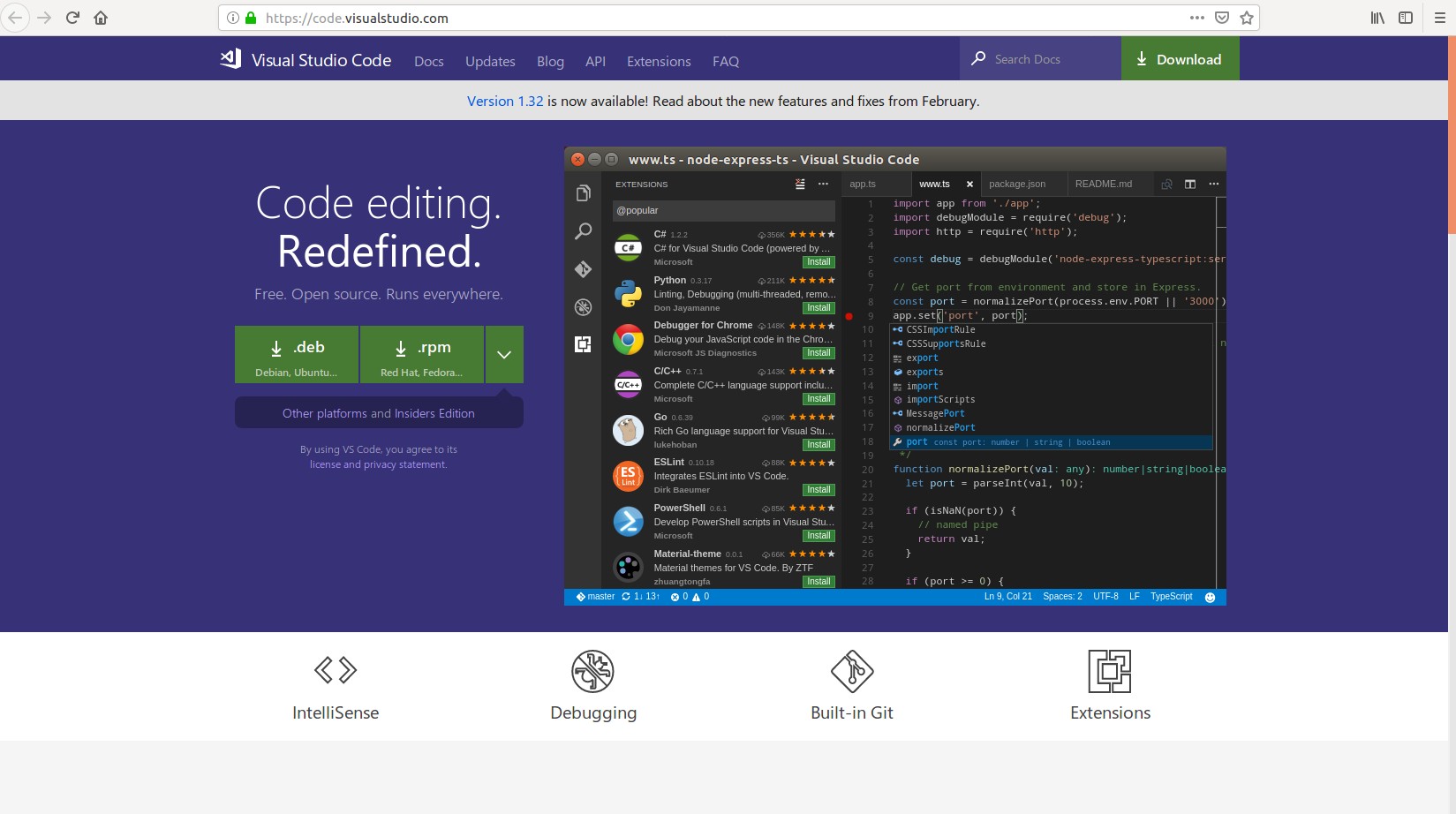
On Ubuntu, visit the VS Code website [https://code.visualstudio.com/], download the deb package, and install it.
Check the System Python Version
$python --version

I use Ubuntu 16.04, where the default system Python version is 2.7. Since support for 2.7 will end soon, Python 3 is recommended. First install python3.
$ sudo apt-get install python3
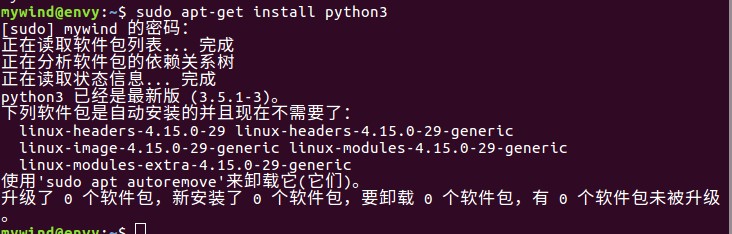
Check that the installation succeeded.
$python3 --version

Download paddle.fluid
For Python 3, install with pip3: pip3 install paddlepaddle[CPU version], or pip install paddlepaddle-gpu (latest GPU version). (The GPU version requires cuda and cudnn to be installed first.) [Note that installing directly will eventually produce an insufficient-permissions error.]

You can avoid this by installing with sudo (a password is required): [Alternatively, switch to root with su - to install, or add the --user option.]
$sudo pip3 install paddlepaddle
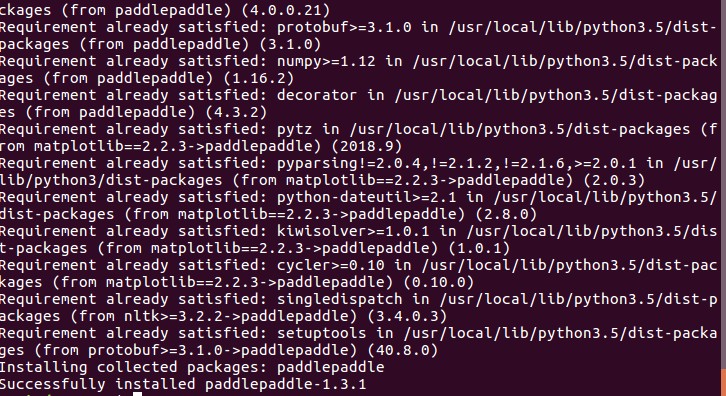
Because the system’s default Python version is 2.7, importing the paddle module directly produces the following error.
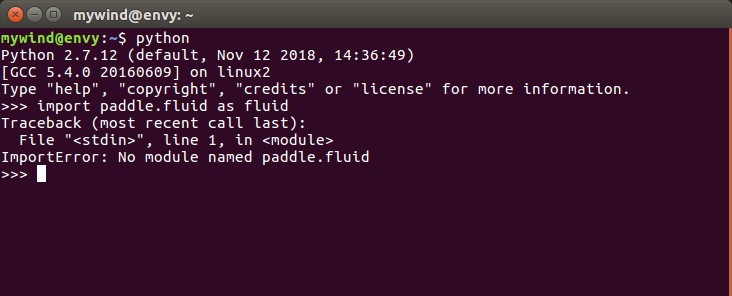
Set the system’s default Python environment to Python 3. The following commands change the default version:
$  sudo update-alternatives  --install  /usr/bin/python  python  /usr/bin/python2  100
$  sudo update-alternatives  --install  /usr/bin/python  python  /usr/bin/python3  150
Check the default Python version again; it has switched to Python 3.

Note: To change which version the Python command points to later, use the command ‘sudo update-alternatives --config python' to switch versions.
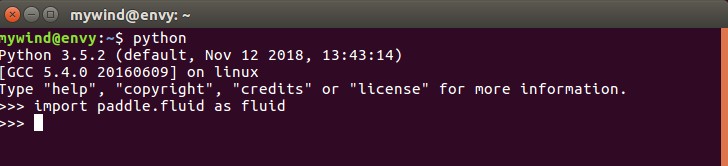
Import the paddle module again; it now imports successfully.
Introduction to Artificial Intelligence
This chapter contains six documents, ordered from easy to difficult, that guide you through basic deep learning tasks with PaddlePaddle.
These documents cover a wide range of deep learning fundamentals and explain how to implement them in PaddlePaddle. See the following instructions to get started:
Overview
Usage
Create a folder for the source code.
$mkdir mypaddle
Clone the example code locally (Git must be installed).
$git clone https://github.com/PaddlePaddle/book.git
Open the folder in VS Code.
Select the corresponding file, such as train.py in 02.recongnize_digits. [Read the readme first to get a basic understanding of how the program works.] Run the code with CTRL + Alt + N (or install the Code Runner extension beforehand and click the triangle in the upper-right corner).
Below is the digit that the example program needs to recognize:
After the program finishes, we can see its prediction:
The README.cn.md file explains the code:
Get started by working through the code and readme at your own pace.
Note: The official recommendation is to run it with juypter, but running it in VS Code works reasonably well too.
For the underlying theory, I recommend the following:
Course: Stanford 2014 Machine Learning (Andrew Ng)
Study notes: Personal notes on Andrew Ng’s Machine Learning course
Deep learning: Coursera Deep Learning course
Study notes: deeplearning.ai (notes and resources for Andrew Ng’s Deep Learning course)
I also recommend this collection of Paddle application examples for study and reference: My PaddlePaddle Learning Journey.
Code Example
Now that you have an initial understanding of Fluid’s core concepts, try configuring a simple network. Follow this section to complete a simple prediction task. If you already know this material, skip ahead to What's next.
After determining the input format, model structure, loss function, and optimization algorithm at a logical level, use PaddlePaddle’s APIs and operators to implement the model. A typical model has four main parts: the input data format definition, forward computation logic, loss function, and optimization algorithm.
Problem Description
Given a dataset <X,Y><X,Y>, find a function ff such that y=f(x)y=f(x), where XX and YY are both one-dimensional tensors. The final network should accurately predict y_predicty_predict from input xx.
Define the Data
Assume the input data is X=[1 2 3 4], Y=[2,4,6,8]. Define it in the network:
#定义X数值
train_data=numpy.array([[1.0],[2.0],[3.0],[4.0]]).astype('float32')
#定义期望预测的真实值y_true
y_true = numpy.array([[2.0],[4.0],[6.0],[8.0]]).astype('float32')
Build the Network (Define Forward Computation Logic)
Next, define the relationship between the predicted value and the input. Here we use a simple linear regression function:
#定义输入数据类型
x = fluid.layers.data(name="x",shape=[1],dtype='float32')
#搭建全连接网络
y_predict = fluid.layers.fc(input=x,size=1,act=None)
This network can now make predictions, although its output is only a set of random numbers, still far from the expected results:
#加载库
import paddle.fluid as fluid
import numpy
#定义数据
train_data=numpy.array([[1.0],[2.0],[3.0],[4.0]]).astype('float32')
y_true = numpy.array([[2.0],[4.0],[6.0],[8.0]]).astype('float32')
#定义预测函数
x = fluid.layers.data(name="x",shape=[1],dtype='float32')
y_predict = fluid.layers.fc(input=x,size=1,act=None)
#参数初始化
cpu = fluid.core.CPUPlace()
exe = fluid.Executor(cpu)
exe.run(fluid.default_startup_program())
#开始训练
outs = exe.run(
    feed={'x':train_data},
    fetch_list=[y_predict.name])
#观察结果
print(outs)
Output:
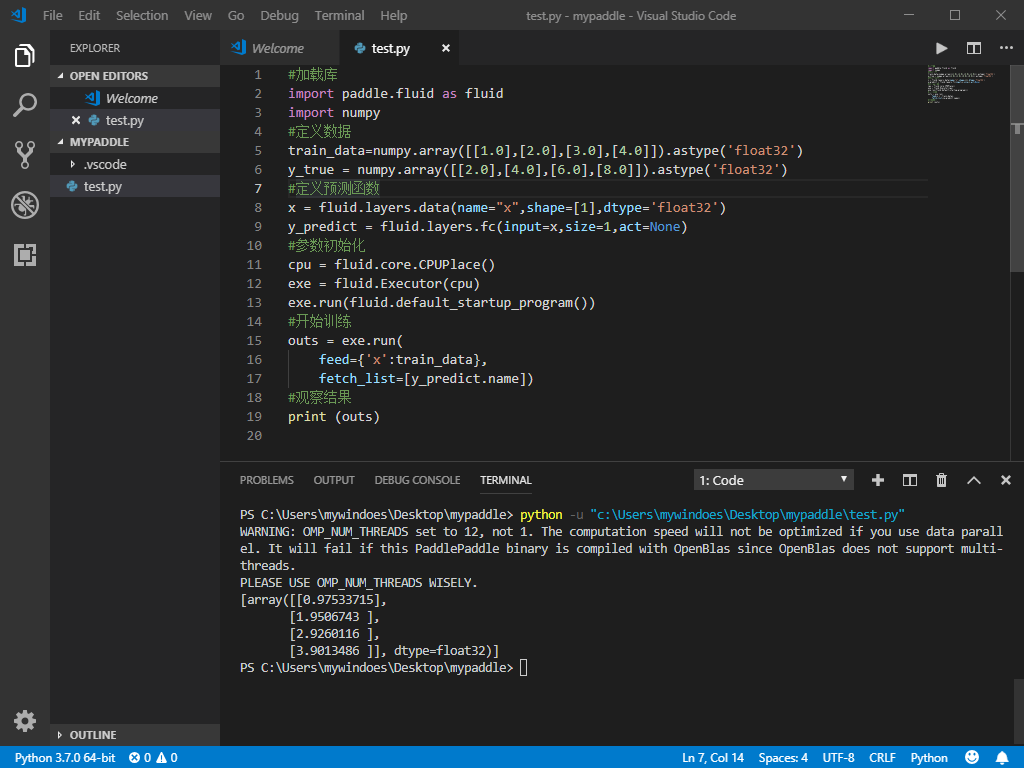
Note: There is a WARNING. Beginners can ignore it; it does not affect normal program execution.
Add a Loss Function
Once the model is built, how do we evaluate its predictions? We usually add a loss function to the network to calculate the difference between actual and predicted values.
This example uses the mean squared error function as the loss function:
cost = fluid.layers.square_error_cost(input=y_predict, label=y)
avg_cost = fluid.layers.mean(cost)
Output the predictions and loss after one round of computation:
#加载库
import paddle.fluid as fluid
import numpy
#定义数据
train_data=numpy.array([[1.0],[2.0],[3.0],[4.0]]).astype('float32')
y_true = numpy.array([[2.0],[4.0],[6.0],[8.0]]).astype('float32')
#定义网络
x = fluid.layers.data(name="x",shape=[1],dtype='float32')
y = fluid.layers.data(name="y",shape=[1],dtype='float32')
y_predict = fluid.layers.fc(input=x,size=1,act=None)
#定义损失函数
cost = fluid.layers.square_error_cost(input=y_predict,label=y)
avg_cost = fluid.layers.mean(cost)
#参数初始化
cpu = fluid.core.CPUPlace()
exe = fluid.Executor(cpu)
exe.run(fluid.default_startup_program())
#开始训练
outs = exe.run(
    feed={'x':train_data,'y':y_true},
    fetch_list=[y_predict.name,avg_cost.name])
#观察结果
print(outs)
Output:
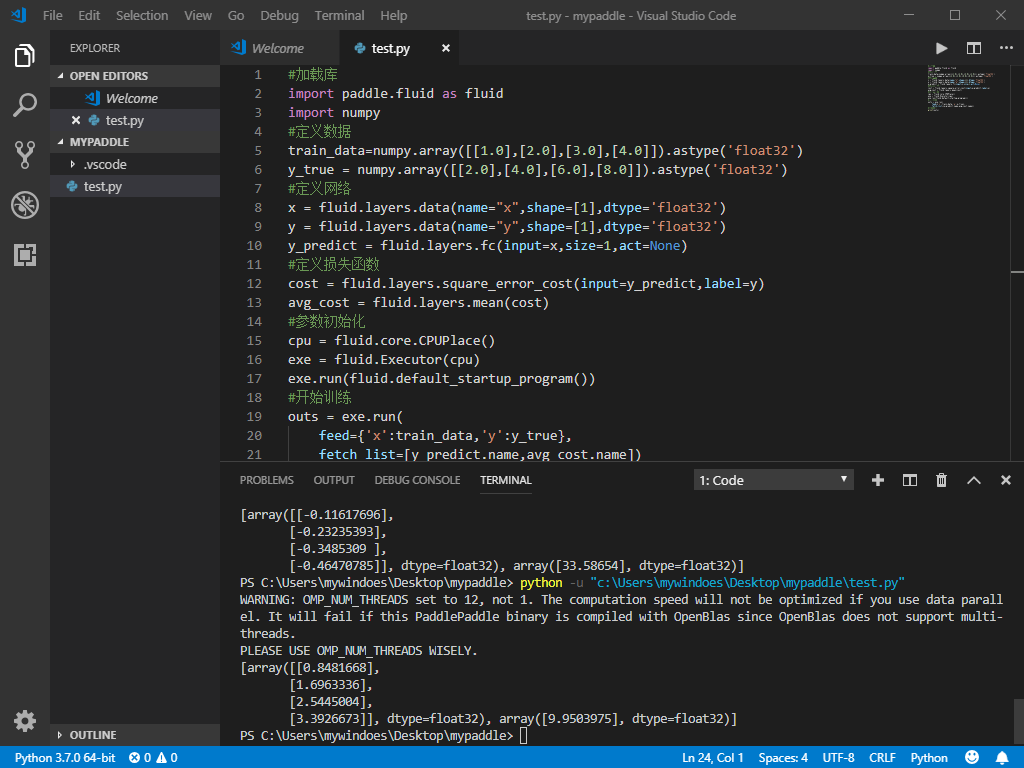
The loss after the first round is 9.95, leaving plenty of room for improvement. Since the loss has not been optimized and only one iteration has run, different users will obtain very different loss values.
Optimize the Network
Once the loss function is defined, calculate the loss through forward computation, then use the chain rule to obtain the gradients of the parameters.
After obtaining the gradients, update the parameters. The simplest algorithm is stochastic gradient descent: w=w−η⋅g, implemented by fluid.optimizer.SGD:
sgd_optimizer = fluid.optimizer.SGD(learning_rate=0.01)
Train the network for 100 iterations and inspect the results:
#加载库
import paddle.fluid as fluid
import numpy
#定义数据
train_data=numpy.array([[1.0],[2.0],[3.0],[4.0]]).astype('float32')
y_true = numpy.array([[2.0],[4.0],[6.0],[8.0]]).astype('float32')
#定义网络
x = fluid.layers.data(name="x",shape=[1],dtype='float32')
y = fluid.layers.data(name="y",shape=[1],dtype='float32')
y_predict = fluid.layers.fc(input=x,size=1,act=None)
#定义损失函数
cost = fluid.layers.square_error_cost(input=y_predict,label=y)
avg_cost = fluid.layers.mean(cost)
#定义优化方法
sgd_optimizer = fluid.optimizer.SGD(learning_rate=0.01)
sgd_optimizer.minimize(avg_cost)
#参数初始化
cpu = fluid.core.CPUPlace()
exe = fluid.Executor(cpu)
exe.run(fluid.default_startup_program())
##开始训练,迭代100次
for i in range(100):
    outs = exe.run(
        feed={'x':train_data,'y':y_true},
        fetch_list=[y_predict.name,avg_cost.name])
#观察结果
print(outs)
Output:
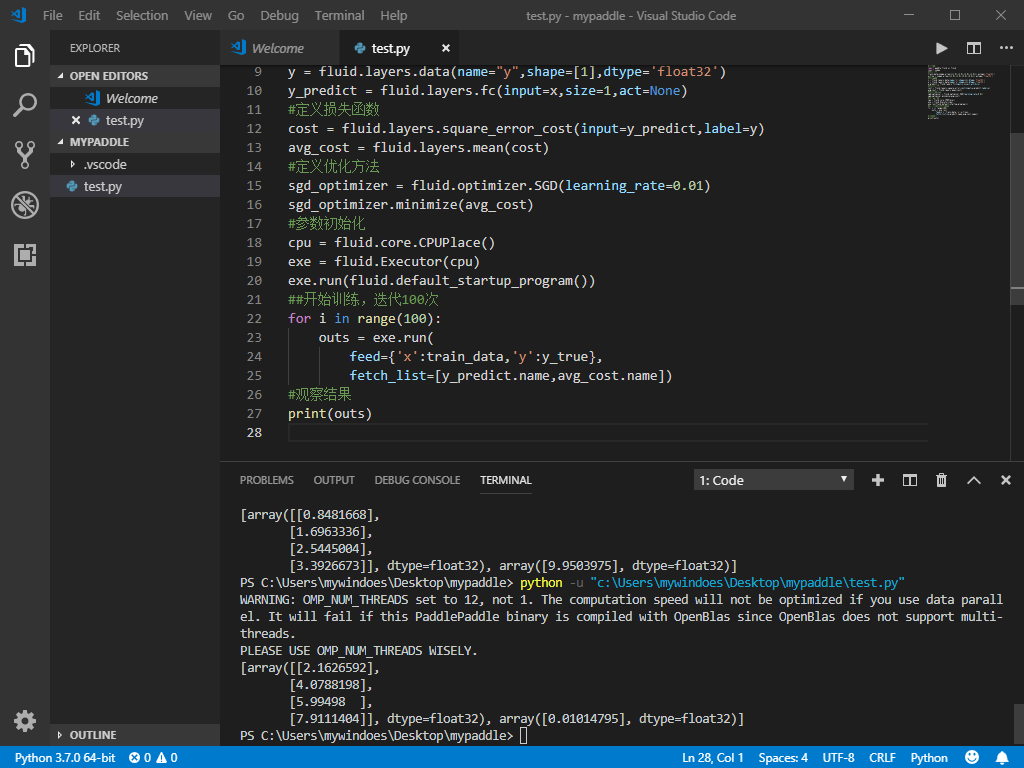
After 100 iterations, the predictions are very close to the actual values, and the loss has dropped from its initial value of 9.95 to 0.01.
Congratulations! You have built your first simple network. To try a more advanced linear regression example—a house price prediction model—read Linear regression. More model examples are available in the model library.
What's next
Once you have mastered the basic operations, you can move on to the next stage:
Follow this tutorial to learn how to model a real problem and build the model with Fluid: Configure a simple network.
After building a network, you can train it on one or multiple machines. See Train a neural network for detailed steps.
The documentation also provides three learning stages for developers with different backgrounds: Beginner’s guide, User guides, and Advanced usage.
For application examples in more scenarios, use the navigation bar to visit Quick start and Deep learning fundamentals. If you already know the basics of deep learning, start with the User guides.